Receive Email and Attachments in a Revdoku Mailbox
Each Revdoku mailbox has an email address. Send or forward a message to that address to store the email and its attachments in the mailbox. The sender does not need a Revdoku account.
1. Copy the mailbox’s address
Create a mailbox, or open Mailbox settings → Email on an existing one. Copy the full address shown there. Check that receiving is ready before asking someone to send mail.
Use the returned address exactly as shown. You do not need to put a mailbox ID in the subject or message body.
2. Send a message with an attachment
Send a harmless test message first, with a short subject and a small attachment. Anyone who knows the address can send to it; knowing the address does not grant access to the stored messages.
For example, forward a supplier’s quote to the mailbox you use for that project. The mailbox’s permissions determine which people and AI agents can read it.
3. Read the email and attachment
Open the mailbox’s mailbox in the dashboard. You can also read messages through the API, MCP, or a connected AI app.
Accepted messages are saved under _email/inbox/, with a separate folder for each delivery:
message.emlpreserves the original email.message.jsoncontains decoded message data.message.mdprovides a readable version.attachments/contains permitted attachment files.
The email stays with its attachments and any reports or notes you save in the mailbox.
If a message does not arrive
Check the copied address, receiving state, and usage limits. If receiving is paused, resolve the reason shown in the dashboard before sending more mail. Confirm receipt in the mailbox; do not rely on the old email-upload confirmation flow.
For integrations, use the message-list and message-detail operations in the API reference. The email overview explains receiving and links to current plans.
Give your AI agent
a free email address
Your AI agent or app gets a unique email address, like [email protected]. It can receive emails and attachments, send replies and store files.
Frequently Asked Questions
Does the sender need a Revdoku account?
No. Anyone who knows the bucket’s address can send to it. Reading stored messages requires permission to access the bucket.
Are emails stored along with their attachments?
Yes. Accepted messages are saved as original EML, decoded JSON, readable Markdown, and permitted attachment files.
How do I choose the destination bucket?
Send to that bucket’s full returned address. Do not route messages by putting a bucket ID in the subject or body.
Related Articles
Email Inbox for ChatGPT Dots: Documents and Sign-In Emails
Give your ChatGPT dot an email inbox for forwarded documents, receipts and sign-in messages. Connect Revdoku and put incoming email to work.
Email Inbox for Instinct: Documents, Receipts and Sign-Ins
Keep travel documents, quotes and sign-in emails in a dedicated inbox for your Instinct tasks. Try practical prompts for the messages and files you collect.
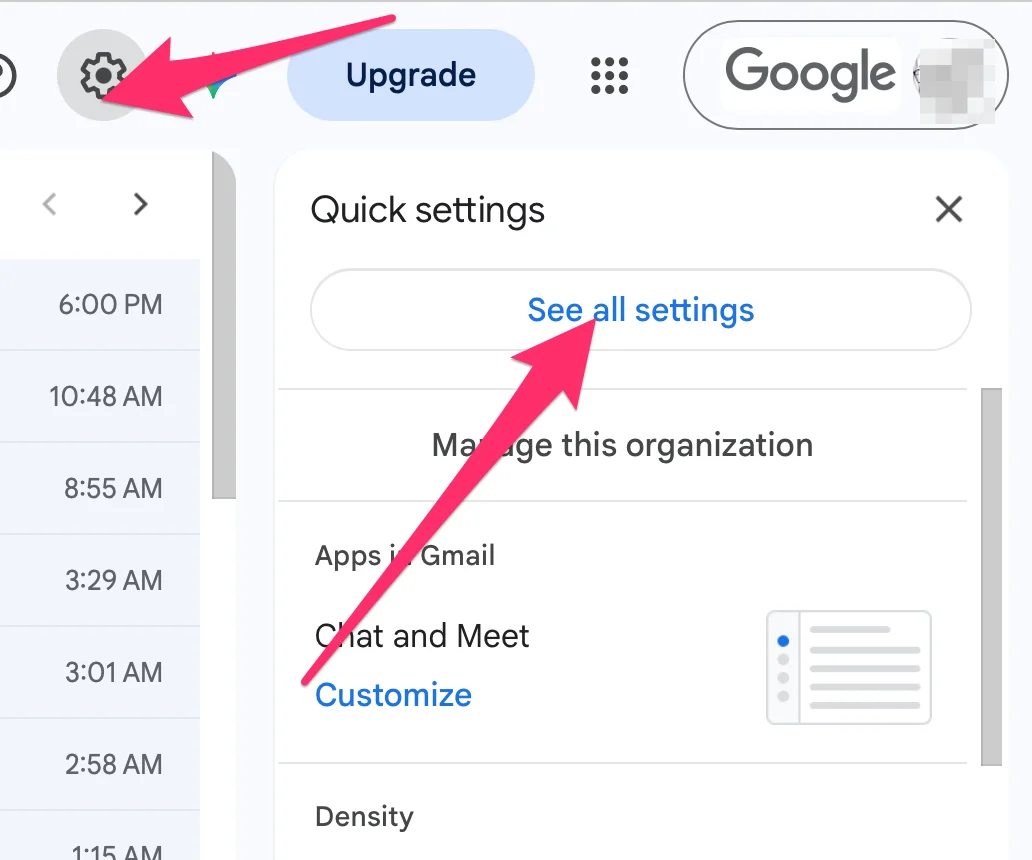
How to Set Up Auto-Forwarding from Gmail to Revdoku's Email
Learn how to auto-forward Gmail to a Revdoku mailbox using filters or global forwarding so AI agents can access email content and attachments.