How to Password-Protect a Grok Build Site
Grok Build publishes each app at its own grok.me address. The publish sheet has an Access setting. xAI’s Grok Build announcement says that this setting controls who can open the app: just you, anyone with the link, or the whole internet. None of these choices is a password, and none of them limits access to people that you name. Grok Build changes quickly. Before you rely on this information, look at the current Publish or Share sheet.
In short, a client, an investor or a teammate can need a password or a list of named people. In that case, move the project to a host that blocks unknown visitors before it serves a file. Then turn off the public grok.me copy.
Can you password-protect a grok.me site?
| Grok Build access | Who can open it | Password protected? |
|---|---|---|
| Just you | Only you, signed in | No one else can review it |
| Anyone with the link | Anyone who has the URL, also people who got it from someone else | No. The link works like a key that anyone can copy |
| The whole internet | Everyone, and search engines can find it | No |
| Copy on Cloudflare Pages, Netlify or Vercel | People who pass the sign-in or password screen of the host | Yes |
If you send a public URL to only one person, the URL is still not private. Our Google check of grok.me sites found many published Grok Build sites in search results. Assume that strangers can find a public grok.me app.
Audit an existing Grok Build site
- Open the Build project in Grok.
- Open its Publish or Share sheet and write down the Access setting.
- Before you change anything, copy the published grok.me URL and each custom domain that you pointed at it.
- When you are signed out, open each URL in a private browser window.
- Search Google for the full URL and for a distinctive sentence from the page.
- If the content is sensitive, set Access to just you, or unpublish the app. Then do step 4 again.
An empty Google result does not prove that the page is private. Search indexes are incomplete and late. A live page can be public and not in the index.
Move the project out of grok.me
xAI says that Grok Build can push the full project to a GitHub repository. Start from this repository.
-
Push the project from Grok Build to a new private GitHub repository.
-
Find out what the app depends on. HTML, CSS, browser JavaScript, images, fonts and downloads move without changes. Grok Build can store API keys outside the code of the app, so these keys are not in the repository. Some features use these keys or other services that Grok hosts. Each of these features needs its own backend (server code) on the new host.
-
Clone the repository. Remove everything that must not go live: keys, private prompts, internal notes and customer data. Gitleaks scans the folder for secrets:
gitleaks dir -v . -
If the project has a
package.jsonwith a build script, run the build. Then deploy the output folder (oftendist/). If the project is plain HTML, deploy the folder that holdsindex.html. -
Before you upload the folder, preview it on your computer:
python3 -m http.server 8000Then open
http://localhost:8000and look at every page.
Option 1: Cloudflare Pages with Cloudflare Access
Use this option to give access to named people or to everyone at one company. Visitors type their email address and get a one-time PIN that expires after 10 minutes. There is no shared password that people can forward.
-
Deploy the folder. In the Cloudflare dashboard, go to Workers & Pages. Select Create application and choose the drag-and-drop upload. To use a terminal, log in with
npx wrangler login. Create the project withnpx wrangler pages project create. Then upload the folder:npx wrangler pages deploy distTo deploy again on every push, connect the GitHub repository instead. You cannot change a Direct Upload project to Git later.
-
Turn on email codes. Go to Zero Trust > Integrations > Identity providers > Add new identity provider > One-time PIN.
-
In the Pages project, go to Settings > General and select Enable access policy. This setting protects only the preview deployments.
-
Protect the production
*.pages.devaddress with the steps on the Pages known issues page. Select Manage on the new policy and open the application. Select Configure. Under Public hostname, remove the*from the Subdomain field and save. Then go back to Settings > General and turn on the access policy again for previews. -
Edit the policy of each application. Set the action to Allow. Add an include rule of Emails (the addresses of your reviewers) or Emails ending in (for example
@client.com). The Access policy docs list the other selectors. -
If you add a custom domain, create one more application for it. Go to Zero Trust > Access controls > Applications > Create new application > Self-hosted and private. Cloudflare warns that if the custom domain has no policy, the login page shows but does not work.
Option 2: A shared password on Netlify or Vercel
Use this option when a small group can share one password and you do not need to know each visitor.
Password protection on Netlify (docs) needs the Pro plan or higher. Go to Project configuration > General > Visitor access > Project visibility > Edit visibility. Select Password and enter the password. Choose Production and previews and save. Older plans show Password Protection > Configure Password Protection instead, with Basic password protection and All deploys.
On Vercel (docs), Password Protection needs Pro (as a paid add-on) or Enterprise. It is not available on Hobby. Vercel Authentication works on every plan, but it lets in only people who sign in with a Vercel account that has access.
To set a password on Vercel, open the project and go to Settings > Deployment Protection. Turn on Password Protection. Choose All Deployments, so that the password also protects production. Enter the password and select Save.
GitHub Pages has no password option. Pages sites are public even when the repository is private.
Test, then switch off the grok.me copy
- When you are signed out, open the new address in a private window.
- Open a CSS file, an image and any PDF by their direct URLs. Each one must stop at the sign-in or password screen.
- Do these tests again on a phone.
- Send the new link to one reviewer. Make sure that the reviewer can get in.
- Set the Access of the grok.me app to just you, or unpublish the app. If your own domain points to the Grok app, move that DNS record to the new host.
Avoid browser-only password screens
A password form in the page that uses JavaScript is not access control. It hides the content on the screen. But the host still sends the HTML, the scripts, the images and all embedded content to every visitor. Each visitor can read them in the page source or download them directly. Remember this before you ask an AI tool to “add a password page” to the app. A real gate runs on the host, before the host serves a protected file.
Free email addresses
for your AI agents
Each agent gets an address like myagent.x7k2@revdokumail.com. It can receive emails, send replies and store files.
- 3 free mailboxes, each with its own address
- 3,000 incoming and 500 sent emails a month
- 3 GB of storage for attachments and files
- Virus, malware, spam and prompt-injection filter
- Read and reply through API, MCP or CLI
You do not need a card.
Frequently Asked Questions
Should I use a shared password or email-code access for a client site?
A shared password is good for a small group when you do not need to know each visitor. Email-code access, such as Cloudflare Access with one-time PIN, is better when access is only for named people or for the addresses of one company. With email codes, you can remove one person, and you do not have to change a password for everyone. Also, Cloudflare logs each sign-in with the email of the visitor.
Does a password-protected copy stay out of Google?
Google says that password protection keeps content out of Search. If Google indexed a page before, it removes the page from Search after some time. This applies only to the protected copy. People can find the old grok.me address until you set its Access to just you or unpublish it.
History
- August 5, 2026 — Published by Revdoku Content Team
- August 1, 2026 — Reviewed by Eugene Mi
- October 22, 2026 — Last updated by Revdoku Content Team.
Related Articles
Move Exported Grok Website Files to Another Host
Export a Grok Build site to GitHub, deploy it on Cloudflare Pages, Netlify, Vercel or GitHub Pages, test it, then retire the grok.me copy.
Move Exported Claude Artifacts to Another Host
Move a Claude Artifact to Cloudflare Pages, Netlify or GitHub Pages: get the code, build React artifacts, replace Claude-only features, then unpublish.
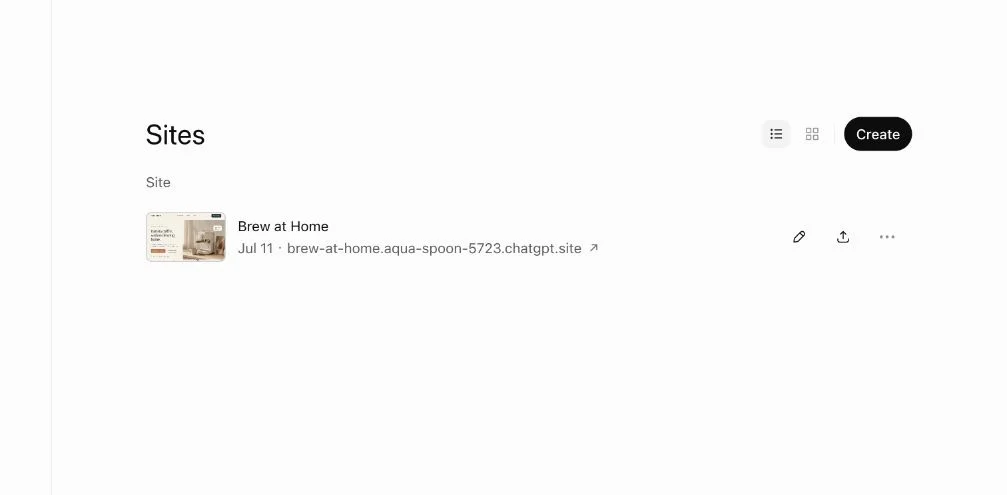
Move a ChatGPT Site to Another Host
ChatGPT Sites has no documented export. Get the source, and replace storage and sign-in. Test a copy on Cloudflare Pages or Netlify before you switch.