How to Migrate a Claude Artifact to Revdoku
Table of Contents
- How can you migrate a Claude Artifact to Revdoku?
- 1. Check dependencies before you migrate the Claude Artifact
- 2. Connect Claude to Revdoku for the Artifact migration
- 3. Ask Claude to export and copy the complete Artifact
- 4. Export the Claude Artifact with the download fallback
- 5. Test and choose access
- 6. Unpublish the original only after verification
- What does not migrate with a Claude Artifact export?
- How can you migrate a Claude Artifact to Revdoku?
- 1. Check dependencies before you migrate the Claude Artifact
- 2. Connect Claude to Revdoku for the Artifact migration
- 3. Ask Claude to export and copy the complete Artifact
- 4. Export the Claude Artifact with the download fallback
- 5. Test and choose access
- 6. Unpublish the original only after verification
- What does not migrate with a Claude Artifact export?
TL;DR: Ask Claude to package the Artifact as a complete static file set and copy it to a Revdoku bucket. If direct transfer is unavailable, use Claude’s code view or download option, upload the files manually, and test before unpublishing the original.
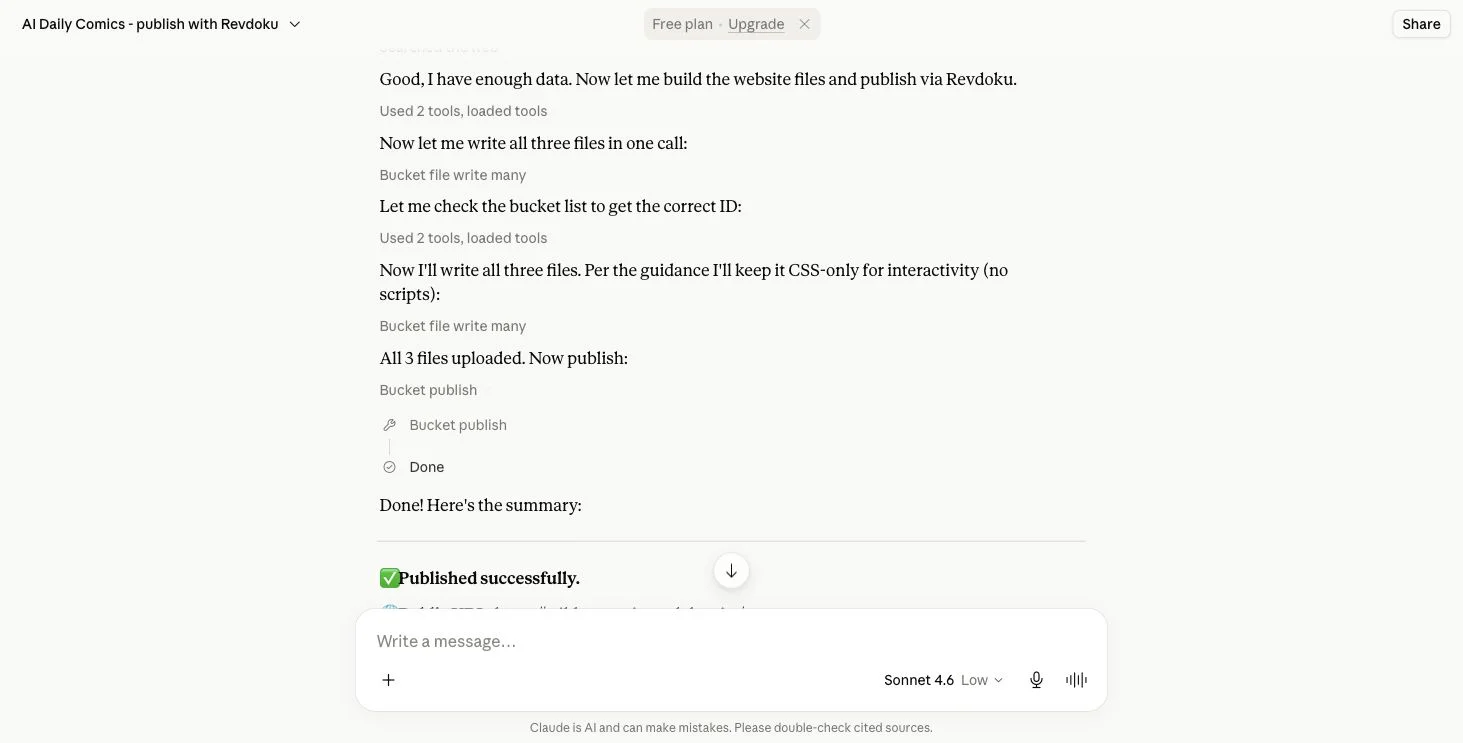
Claude can write the website files to a Revdoku bucket and publish them when the Revdoku tools are connected.
How can you migrate a Claude Artifact to Revdoku?
Many Claude Artifacts can be migrated because they are self-contained HTML websites, React interfaces, SVGs, documents, or other content. Anthropic’s Artifact guide says you can view the underlying code, copy content, and download files from the Artifact window.
Export a basic static Claude Artifact as HTML, CSS, JavaScript, and assets. Copying front-end files will not preserve capabilities that depend on Anthropic’s hosted AI runtime.
1. Check dependencies before you migrate the Claude Artifact
Ask Claude to identify:
- Every source and asset file.
- Whether the Artifact is plain HTML or a React build.
- Any Claude-powered feature.
- External API requests.
- Persistent storage or database use.
- Secrets or environment variables.
- Files referenced in the conversation.
Remove private prompts, customer data, credentials, and unauthorized content.
2. Connect Claude to Revdoku for the Artifact migration
From the Artifact conversation:
- Open Revdoku’s connection instructions.
- Connect to
https://app.revdoku.com/mcp. - Complete Revdoku OAuth.
- Ask Claude to verify the available Revdoku tools.
Authenticate through OAuth. Do not share passwords or API keys in chat.
3. Ask Claude to export and copy the complete Artifact
Paste this prompt:
Migrate this Claude Artifact as a static website to Revdoku.

Requirements:
1. Create a complete browser-ready file tree with index.html at the root.
2. Include all HTML, compiled CSS, JavaScript, images, SVGs, fonts,
   documents, and data files needed by the Artifact.
3. Preserve folders and relative paths.
4. If this is React or another compiled interface, create the static
   production output rather than uploading unbuilt source alone.
5. Do not include secrets, API keys, private prompts, customer data,
   environment files, or local computer paths.
6. List every source file before transfer.
7. Copy every file to a new Revdoku bucket and compare the source and
   destination file counts.
8. Report any Claude-powered AI, storage, authentication, or hosted
   runtime feature that cannot work using static files alone.
9. Publish a Revdoku preview first and check navigation, assets,
   interactions, downloads, mobile layout, and direct route reloads.
10. Stop before final publishing or unpublishing the original Artifact.
Ask Claude to explain omissions plainly. A good-looking preview that loses a key feature is not a successful migration.
4. Export the Claude Artifact with the download fallback
To host the Claude Artifact elsewhere when direct copying is unavailable:
- Open the Artifact.
- Use Anthropic’s documented code view or download control.
- Save every available file.
- Place multiple files in one folder or ZIP without flattening the structure.
- Confirm the folder contains
index.htmlor a finished static build. - Upload the folder or ZIP to Revdoku.
- Publish a preview.
A single HTML Artifact may need only one self-contained index.html. For React, ask Claude for a deployable static build with the required assets.
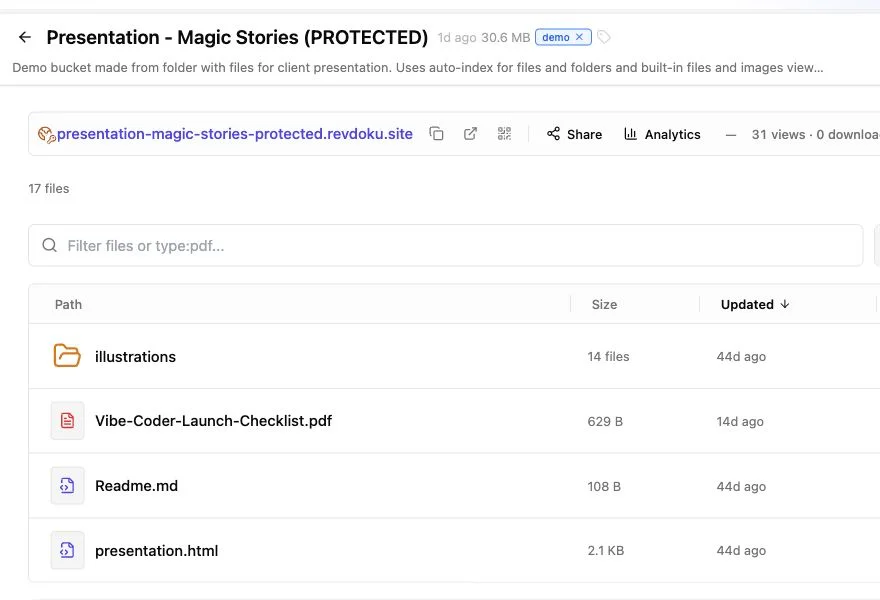
Compare the finished Revdoku file tree with the Artifact export before publishing.
5. Test and choose access
Test the preview in a private window:
- Check every link and interaction.
- Reload nested routes directly.
- Confirm images, fonts, and downloads load.
- Watch for browser-console errors.
- Verify no private source or secret is exposed.
- Confirm platform-only features were removed or replaced.
Then host the Artifact on Revdoku with public, password-protected, or verified-email access. A Revdoku copy can record visitor, click, and download activity, send notifications, and accept updated files at the same URL.
Read How to password protect a Claude Artifact for access details and Claude Artifacts vs Revdoku for a compact comparison.
6. Unpublish the original only after verification
Once the replacement works:
- Save any permitted source material.
- Open the original Artifact’s publishing control.
- Read Claude’s current unpublish warning carefully.
- Unpublish the original.
- Test its old public URL while signed out.
- Replace links and bookmarks with the new Revdoku URL.
Public Artifacts can appear in search results. Our Google audit of public Claude Artifacts shows why client material should not rely on an obscure public address.
What does not migrate with a Claude Artifact export?
Copying files does not reproduce Claude’s hosted AI runtime, persistent storage, a platform database, secret environment variables, or service-specific authentication. Static front-end behavior can migrate to Revdoku. Platform services require replacement integrations or a different deployment architecture.
Safest order: inventory, transfer, preview, test, publish, then unpublish the old Artifact.
Just ask to “publish to Revdoku” to publish your as a fast and secure website
from your Codex, Claude or another AI apppublish files or folders
Paste this into your AI app.
Install the Revdoku skill in your AI app.
npx skills add revdoku/revdoku --skill revdoku -gChoose your AI app to connect through MCP.
codex mcp add revdoku --url https://app.revdoku.com/mcp
codex mcp login revdoku
claude mcp add --transport http revdoku https://app.revdoku.com/mcp
claude mcp login revdoku
https://app.revdoku.com/mcpFree · Public or protected · Visitor analytics · Forms and email alerts Building websites for clients? Explore Revdoku for agencies
Frequently Asked Questions
Which Claude Artifacts can be migrated to Revdoku?
Artifacts that can be exported as static HTML, CSS, JavaScript, images, documents, or compiled front-end files are generally suitable. Features that depend on Claude’s hosted AI runtime or other platform services will need to be removed or replaced.
Do I need a production build for a React Artifact?
Yes. Upload the finished static production output with an index.html file and all required assets, rather than the unbuilt React source alone. Preserve the generated folder structure and relative paths.
What should I do if Claude cannot transfer files directly to Revdoku?
Use the Artifact’s code view or download option to save every available file. Keep the directory structure intact, then upload the folder or ZIP to Revdoku and publish a preview.
How can I prevent secrets or private data from being exposed?
Review the export for API keys, environment files, credentials, private prompts, customer data, and local file paths before uploading it. Also inspect the published preview and browser-delivered source, since any static file may be accessible to visitors.
Why might an Artifact look correct but still be incomplete?
The interface may load while AI features, authentication, storage, downloads, or API-dependent interactions silently fail. Compare source and destination file counts, test every important workflow, and check the browser console for errors.
How should I test the migrated Artifact before publishing it?
Open the Revdoku preview in a private browser window and test navigation, interactions, assets, downloads, mobile layout, and direct reloads of nested routes. Confirm that no confidential material is exposed and that unsupported platform features were removed or replaced.
When should I unpublish the original Claude Artifact?
Unpublish it only after the Revdoku version has been verified and its final access settings are in place. Then test the old URL while signed out and update existing links and bookmarks to point to the replacement.
Related Articles
How to Migrate a Grok Build Website to Revdoku
Safely migrate a Grok Build website from grok.me to Revdoku using a direct transfer or ZIP, then test routing, assets, and access.
How to Export ChatGPT Sites and Move Your Files
Learn how to export a ChatGPT Site, verify every file, move it to Revdoku or another static host, test the preview, and retire the original.
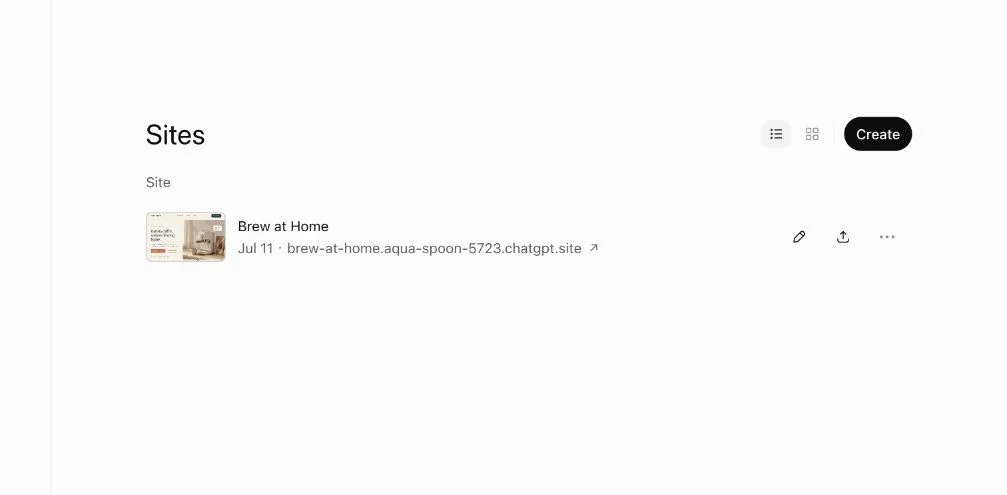
How to Migrate a ChatGPT Site to Revdoku
Move a ChatGPT Site to Revdoku without missing files. Test a private preview, choose access controls, and safely retire the old Site.