
Essential Guide to Etsy Product Photography
Your Etsy listing photos, adhering to Etsy photo requirements, determine whether browsers become buyers. Your thumbnail image has two seconds to convince someone to click. Your Etsy product photography either builds trust or sends shoppers back. Etsy’s image guidelines exist to protect both sellers and buyers, ensuring every listing meets a minimum quality standard while allowing you to express your brand. This guide reviews Etsy image guidelines, differences from platforms like Amazon, and strategic use of all ten image slots. Whether you’re launching your first shop or improving an existing catalog, this checklist helps you avoid common photo mistakes that cost sales.
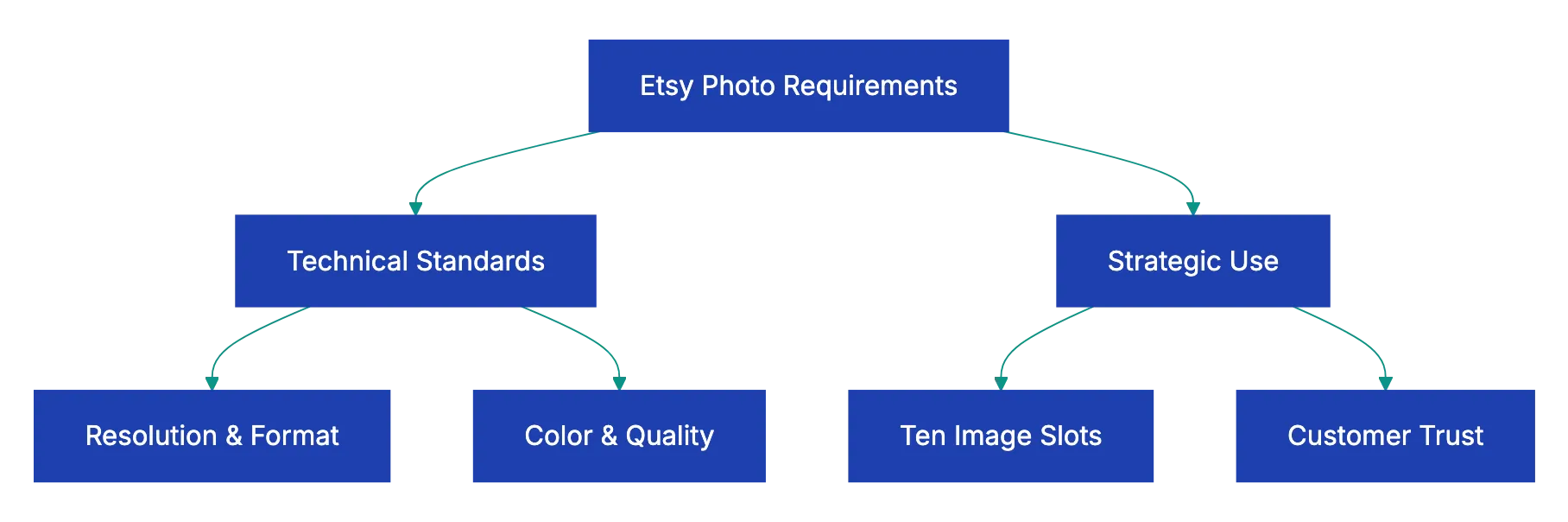
Etsy’s technical photo requirements balance accessibility with quality. Etsy’s photo size requirements specify a minimum of 2000 pixels on the shortest side of your image. This makes sure customers can zoom in to see texture, stitching, or detail work without encountering pixelated blur. Most sellers aim for 2700×2025 pixels, which provides excellent zoom functionality while keeping file sizes manageable. The maximum file size is 20 megabytes, though most improved photos stay well under 5MB.
Accepted formats and key specs for Etsy listings:
- File formats: JPG, PNG, and GIF (JPG most common for photographs; PNG preferred for transparent backgrounds)
- Minimum size: 2000 pixels on the shortest side
- Max file size: 20MB
- Color space: sRGB recommended for consistent display across devices and browsers
- Photos per listing: up to 10 slots available
The sRGB color space is recommended because it displays consistently across different devices and browsers. Adobe RGB or ProPhoto RGB colors might look washed out on customer screens. Most phones and basic cameras default to sRGB, but if you’re editing in Photoshop or Lightroom, double-check your export settings. You can upload up to ten photos per listing, and each one counts toward telling your product story. Unlike some platforms that treat additional images as optional, successful Etsy sellers use most or all of their ten slots to answer customer questions before they’re asked.
Etsy Photo Requirements Overview:
First Image Strategy: Your Thumbnail Determines Click-Through Rate
Your first image appears as the thumbnail in search results and category pages, making it the most important photo in your listing. This thumbnail competes with dozens of other products, so clarity and immediate visual impact matter more than artistic ambition. The product should be centered and fill most of the frame without looking cramped. If someone scrolling on their phone can’t immediately identify what you’re selling, your thumbnail failed its job. Etsy doesn’t require white backgrounds for main images, which distinguishes it sharply from Amazon’s strict white-background policy. Lifestyle shots, styled backgrounds, and contextual settings work well as Etsy thumbnails, provided the product remains the clear focal point.
Consistency across your shop’s thumbnails creates a professional appearance that builds customer confidence. When someone clicks through to your shop page, they should see a cohesive visual style rather than a chaotic jumble of different photography approaches. This doesn’t mean every photo needs identical backgrounds, but lighting quality, composition style, and color treatment should feel intentional. Natural lighting works well for handmade and maker items, where harsh studio lighting can make materials look artificial. Many successful Etsy sellers shoot near a north-facing window, using the soft, indirect light to demonstrate texture without creating hard shadows.
Using All Ten Image Slots: A Strategic Approach to Product Photography
Optimal Image Slot Strategy:

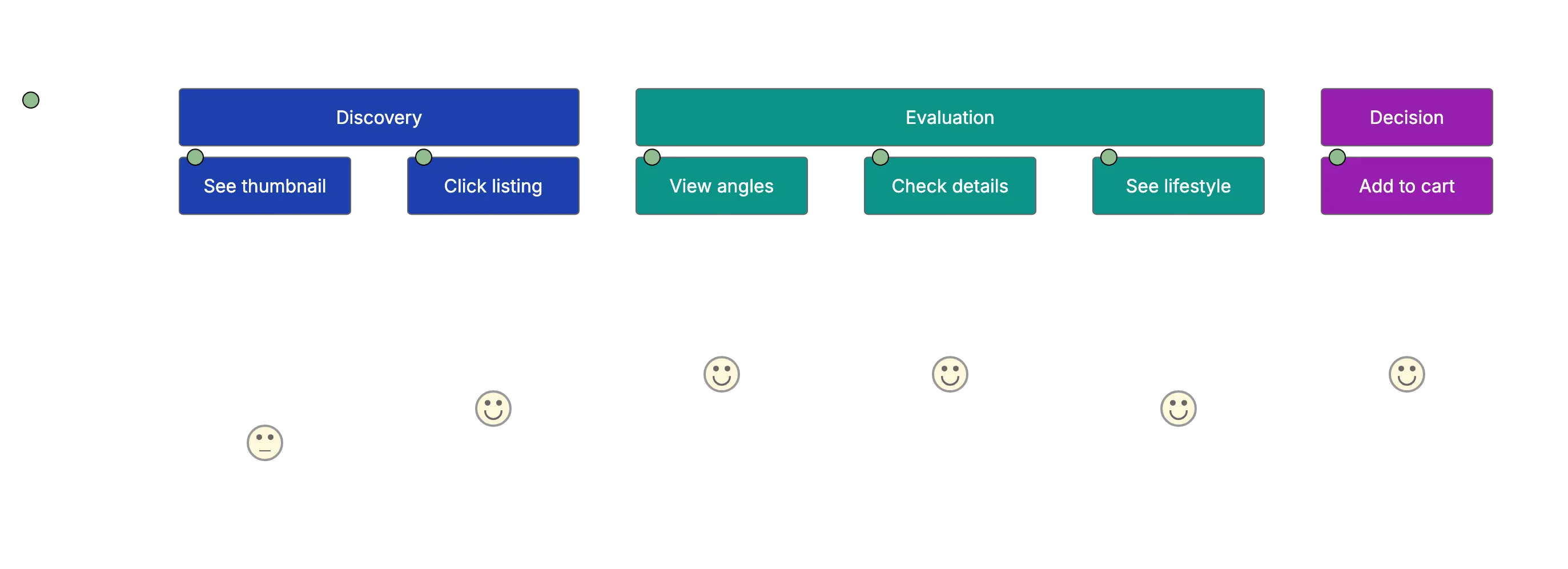
Etsy image guidelines allow ten images per listing, and treating this as a generous limit rather than a recommendation costs sellers money. Each additional photo reduces uncertainty and increases the likelihood of purchase. The Etsy listing photos, particularly the first image, attract the click, but images two through ten close the sale. Start by showing the product from multiple angles. Front, back, side, and top views help customers build a mental three-dimensional model. For jewelry, this means photographing both sides of earrings or showing how a necklace clasp works. For clothing, it means showing the garment flat, on a hanger, and ideally worn by a model.
Scale reference solves one of online shopping’s fundamental problems: customers can’t tell how big things actually are. A handmade ceramic mug photographed alone might look like a miniature or a soup bowl. Including a hand holding the mug, or placing it next to a common reference object, eliminates guesswork. Lifestyle shots showing the product in use answer the question “What would this look like in my life?” A hand-knitted blanket draped over a couch means more than the same blanket folded on white smooth paper. Close-up shots reveal texture, weave, brushstrokes, or material quality that separates handmade items from mass production. If you offer color variations, showing all available options reduces decision paralysis and prevents disappointment when the package arrives.
Sellers often stumble over differences between Etsy and other marketplaces. Amazon requires pure white backgrounds for main images and restricts lifestyle shots to secondary positions. Etsy encourages lifestyle and styled backgrounds even for thumbnails, reflecting its focus on handmade, vintage, and maker items where context and personality matter. Text overlays on images are allowed on Etsy, but should be minimal. Adding “Handmade” or “Gift Ready” to your first image might help conversion, but covering the product with promotional text reduces trust and makes the listing look spammy.
Watermarks are technically allowed, but discouraged. They signal distrust and make customers wonder what you’re protecting. If your photos are so generic that watermarks feel necessary, the real problem is your photography strategy. Mockups are acceptable and often necessary for print-on-demand items, digital downloads, and custom work. An art print seller can’t photograph every possible size and frame combination, so clean mockups showing the print in various room settings work well. However, mockups for supposedly handmade physical items violate Etsy policy and customer expectations. If you claim to hand-knit scarves, your photos should show actual scarves you made, not stock images or mockups.
Etsy’s search algorithm rewards listing quality, including photo quality, when determining search placement. Two listings with identical titles, tags, and pricing won’t rank the same if one has professional photos and the other has blurry phone snapshots taken in poor lighting. Better photos genuinely improve your search visibility, making photography investment one of the highest-return activities for Etsy sellers.
Common Etsy Photo Mistakes That Reduce Sales and Search Visibility
Blurry or poorly lit images top the list of avoidable mistakes. Handmade items depend on detail to justify their price premium over mass-produced alternatives, so photos that obscure texture, stitching, or craftsmanship undermine your value proposition. If your phone camera struggles in indoor lighting, shoot near a window during daytime or invest in a basic photography light box for small items. Inconsistent style across listings makes your shop look amateurish. You don’t need to reshoot your entire catalog overnight, but new listings should match your best existing photos, and you should gradually replace weak images as time allows.
Not using all ten image slots wastes the opportunity to answer customer questions and display your work. Even simple products benefit from multiple angles, context shots, and detail views. Showing only one angle forces customers to guess about the back, sides, or interior of your product. When doubt exists, buyers move to the next listing. Missing scale references particularly affect jewelry, small maker items, and anything that could plausibly range from tiny to huge. That ceramic bowl might be a ring dish or a serving bowl, and customers shouldn’t have to read your description to figure out which.
Using stock photos for handmade items violates Etsy policy and destroys customer trust when someone receives an item that looks nothing like the professional stock image. Even for supplies or vintage items, your own photos build authenticity. Watermarks that obscure the product make your listing look worse than having no watermark. If you’re worried about image theft, better photos of your actusl wokr are harder to stael and more valuable than generic shots worth protecting.
Different product types need different photography apporaches. Jewelry requires macro capability to show detail work, stone settings, and texture. Most phon cameras now include macro modes that work well for rings, earrings, and pendants. White or light gray backgrounds help small jewelry stand out, though lifestyle shots showing pieces worn by a model heelp customers visualize scale and style. Including a photo of the jewelry in its packaging works well if you presentation adds value.
CLothing and wearables need to show fit, drape, and how the fabric moves. Flat lays on white backgrounds check the technical boxes, but don’t answer fit quesrions. Photos on a dress form or live model, combbined with detailed measurements in your description, reduce return rates. For hand-knitted or sewn items, close-ups showing your stitching quality seeparate youur work form cheaper alternaatives. Vintage clothing particularly benefits form condition detail shots, showing any wear, fadding, or imperffections that affect value.
Home decor and furniture beenfit enormousyl from contexxt shots. A handmade shelf photographed against a wall with a few styled objects looks more valuable than the same shelf on a tarp in your garage. Art priints and walll hanngings should include mocukps showing the framed or hung in rolms with different decor stylles, helping customers imagine them in their homes. Digital products and printables present unique challenges since you’re selling files rather than physical objects. Mockups showing your printable palnner pages in use, your digital art pirnt in various frame styles, or your template populated with example content help customers understand what they’re buying.
Customer Decision Journey:
With over 60% of Etsy traffic from mobile, optimized photos are essential. Small screens increase every photography mistake. Text that’s readable on a desktop monitor becomes illegible on a phone. Products that fill a desktop thumbnail adequately might appear as tiny dots on mobile. When composing shots, preview them on your phone before finalizing. What looks engaging and artistic on your camera screen might look cluttered and confusing on a four-inch dosplay.
Simple compositoins read better on mobile than complex sytled shots wit multiple element. Your first image especiaally should work at thumbnail size, where dwtail disappears and only shape, color, and overall impression survive the compression. High contrast between your product and background helps mobile shoppers idnetify wha htey’re looking at during rappid srcolling. If your prdouct is whtie, don’t photograph it on white smooth paper. If it’s black, a black background makes it disappear.
Vertical orientation works better for mobile viewing tha horizontal, though this depends on your product shape. Etsy displays images at a 2:3 aspect ratio in search results, so tall vertical shots use scree space effectively while wide horizontal shots get cropped or letterboxed. Test your listings on both phone and desktop before publishing to cacth formatting issue tha affect one platform but not the other.
A standardized photo checklist makes sure evedy listing meets your quality baselime, even whe you’re rushing to publish seasonal items or fulfilling csutom orders. Creating a simple table helps you verify ewch requirement before clicking publish.
| Item | What to Check | Why It Matters |
|---|---|---|
| Resolution | Minimum 2000px shortest side | Enables zoo functionality |
| File Format | JPG, PNG, or GIF | Platform compatibility |
| Color Space | sRGB recommended | Consistent display across devices |
| First Image | Product centered, fiills frame | Determines click-thorugh rate |
| Background | Clean, doesn’t copmete with product | Maintains focus on ite |
| Lighting | Even, natural, shows true colors | Reduces returns from umnet expectations |
| Multiple Angles | Front, back, sides, top | Answers customer questions |
| Scale Reference | Hand, common object, or meaasurement | Eliminates size confusion |
| Detail Shots | Texture, materials, craftsmanship | Justifies handmade pricing |
| Lifestyle Context | Product in use or setting | Helps customer visualization |
| Image Count | Use 8-10 of available slots | Increases information provided |
| Consistency | Matches shop style and quality | Builds professional brand |
Walk through this checklist to prevent costly mistakes. A listing with seven high-quality photos outperforms one with three mediocre shots every time. The investment in good photography compounds as your shop grows, since quality photos increase conversion rates, reduce question volume, and improve search placement.
Etsy requirements offer both structure and creative freedom. The technical minimums make sure functional listings while the ten-image limit and acceptance of lifestyle shots let your brand personality show through. Meeting the 2000-pixel minimum enables zoom, using all ten slots answers customer quuestions, and maintaining consistent quality across your shop builds trust. The differences between Etsy and Amazon photo requirements reflect each platform’s distinct customer expectations. ETsy shoppers want to see your make, your materials, and your creative vision, not just a product floating on white space.
Before publishing your next listing, verify your Etsy listing photos against the Etsy photo size requirements and strategic best practices outlined here. Check resolution, confirm your first image works as a thumbnail, include scale references, and use enough of your ten slots to tell your product’s complete story. Revdoku’s e-commerce checklist verifies resolution, composition, and completeness across platforms. Good Etsy product photography isn’t everything, but it’s the difference between browsers and buyers.
Frequently Asked Questions
What are the key photo requirements for my Etsy listings?
Your Etsy photos must have a minimum dimension of 2000 pixels on the shortest side. Accepted formats include JPG, PNG, and GIF, with JPG being the most common. It's also important to use the sRGB color space for consistent appearance across devices.
How can I optimize my thumbnail image for better click-through rates?
Your thumbnail should clearly present the product, filling most of the frame without appearing cramped. Centering the product and using clear, high-contrast backgrounds can help grab attention. Avoid overly artistic compositions that may confuse potential buyers.
Why should I use all ten image slots allowed for each listing?
Using all ten image slots allows you to provide a comprehensive view of your product, addressing potential customer questions and enhancing their shopping experience. Multiple angles, context shots, and detail views help build trust and may increase conversion rates.
What types of photos are best for showcasing jewelry on Etsy?
For jewelry, macro shots that highlight detail, texture, and stone settings are essential. Including lifestyle images that show the jewelry being worn can help customers visualize scale and style. Additionally, including images of the jewelry in its packaging can enhance presentation value.
How does the use of lifestyle images benefit my Etsy listings?
Lifestyle images help customers envision the product in real-life settings, which can enhance appeal. Such photos add context and personality, differentiating your listings from others. This approach is particularly effective for home decor and clothing items.
What common mistakes should I avoid in my Etsy product photography?
Avoid blurry or poorly lit images, as these can significantly reduce perceived product value. Inconsistent styling across your listings can also create an amateurish look. Additionally, failing to use all available image slots or skipping scale references can lead to customer confusion and lost sales.
How can I ensure my photos remain effective on mobile devices?
Since over sixty percent of Etsy traffic comes from mobile devices, it's crucial to compose your photos with mobile viewing in mind. Use high contrast backgrounds and simple compositions to enhance clarity. Always preview your listings on a mobile device to confirm that details are clear and engaging.