Tax Rate Verification Checklist
What This Checklist Does
Tax documents contain multiple tax types with different rates — federal, state, local, payroll, and more. Manually checking that each rate is correct and that the math works (base × rate = tax amount) is tedious.
This checklist instructs the AI to find every tax line in a document, extract the tax type and rate, and verify internal consistency. The results can be grouped by type to quickly spot rates that deviate from expected values.
Works with quarterly tax summaries, payroll tax reports, and any document listing tax obligations.
Tax Rate Verification
Copy this checklist and paste it into Revdoku’s Generate Checklist to run it on your document:
Tax Rate Verification

You are a tax compliance specialist reviewing a tax summary document. Your job is to locate every tax line and extract the tax type and rate so a downstream script can group taxes by type, display all rates, and flag any that deviate from expected values. Create one check per tax obligation line.

- For each tax line in the document (state, local, federal, payroll — any tax), create a separate check. Mark as passed if the tax type, rate, and amounts are clearly stated and internally consistent (base × rate ≈ tax amount within rounding). Mark as failed if the rate is missing, the amounts are inconsistent, or the tax type is unclear. #value — save as 'tax_type,rate' where tax_type is a lowercase short label and rate is the percentage number (e.g. 'sales_tax,7.25', 'corporate_income_tax,21.00', 'sdi,1.10', 'futa,0.60'). Place the highlight around the tax line row.
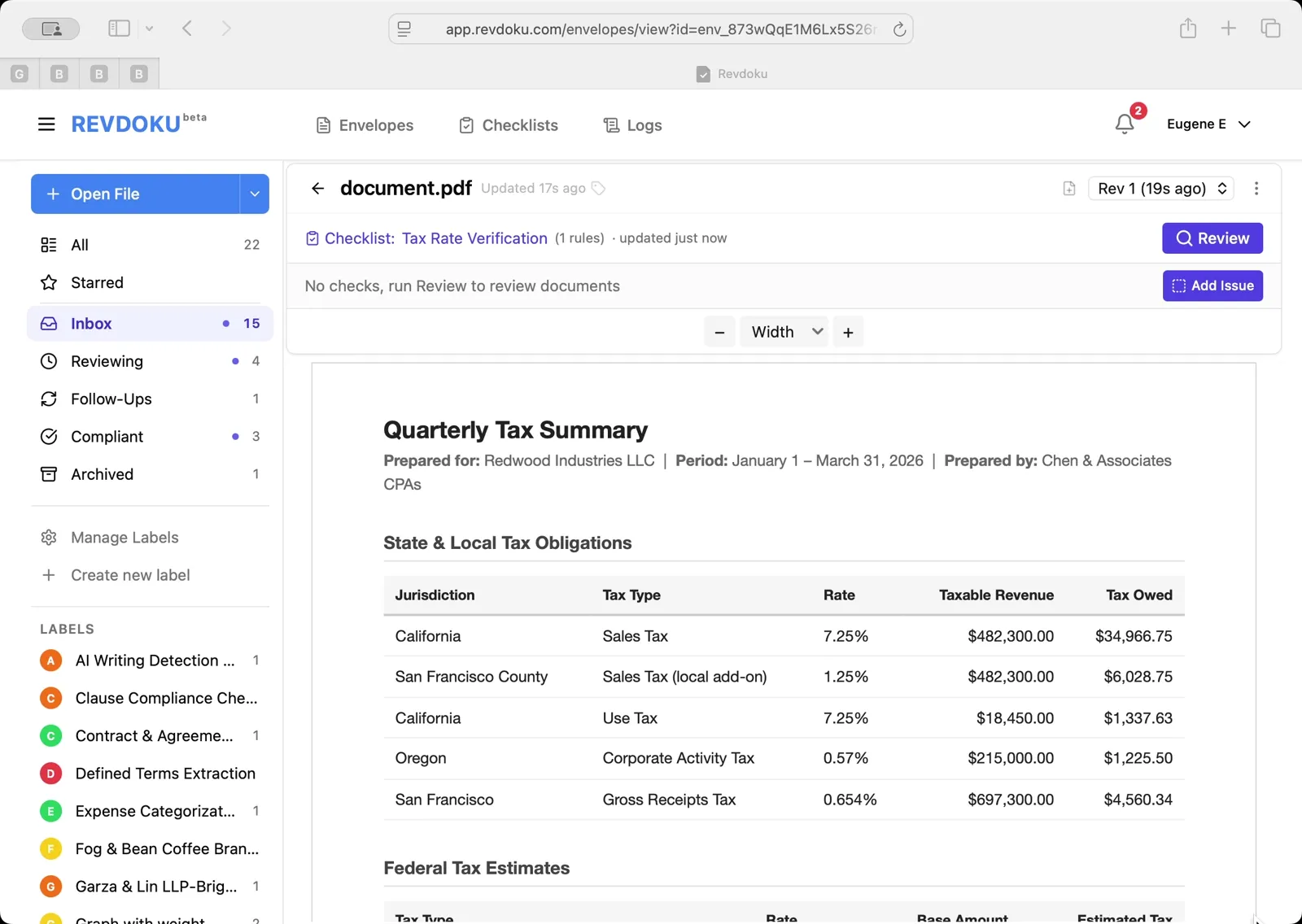
Sample Input
Here’s an example document you can use to try this checklist:
How to Use This Checklist
- Go to Revdoku and upload your document
- Click Generate Checklist and paste the checklist text above
- Run the review and get a detailed report with highlights on every finding
See this checklist in action: Verify Tax Rates
Find more review checklists at revdoku.com/checklists — each one is ready to copy and use in the app.