Publish a Daily AI News Report with Claude and a Static Host
How the daily report works
A daily report is a job that repeats each day. The job collects sources, writes the report, checks it and then replaces the published version. Keep the two parts of the setup separate.
The job runner does the research and the writing on a schedule. In this guide, the job runner is a cloud scheduled task in Claude Code. Its earlier name was “routine”. The task runs on the cloud of Anthropic, so it continues to work while your laptop is closed.
The static host (a service that publishes fixed files) serves the files that are in the repository. Cloudflare Pages, Netlify and GitHub Pages can each publish a new version when a commit arrives on the production branch. The production branch is the branch that the host publishes.
The task writes the report into a GitHub repository. Then it runs a check and pushes the report only when the check passes. The push starts a new deployment on the host. If a run fails, the task pushes nothing and yesterday’s report stays online.
What you need
Before you start, get these items:
- A Claude Pro, Max, Team or Enterprise plan. Cloud scheduled tasks are available on these plans and are in research preview (an early test release).
- A GitHub repository for the report. Connect GitHub to Claude Code on the web, so that a run can clone the repository and push to it.
- An account with the static host that you want to use.
1. Set up the repository
Keep the report and its rules together in one small repository:
index.html              today's report
archive/2026-10-21/     earlier reports, one folder per day
assets/style.css
REPORT.md               what the report must contain
scripts/check-report.py
Write the rules one time in REPORT.md. Include the topics, the number of stories and the time window, for example “published in the last 24 hours”. Also include what counts as a source, the sections and the layout. Require a source link next to each factual claim. Also require a visible publication date. Rules in a file are easier to improve than rules inside a scheduled prompt. Git also keeps a history of each change to the rules.
Add a small check that fails when the report is missing, has no date or has too little content:
import datetime, pathlib, re, sys

page = pathlib.Path("index.html")
if not page.exists():
    sys.exit("index.html is missing")

html = page.read_text(encoding="utf-8")
today = datetime.date.today().isoformat()
problems = []

if today not in html:
    problems.append(f"today's date {today} is not in the page")

links = re.findall(r'href="https?://', html)
if len(links) < 12:
    problems.append(f"only {len(links)} external links, expected at least 12")

for text in ("lorem ipsum", "TODO", "example.com"):
    if text.lower() in html.lower():
        problems.append(f"placeholder text found: {text}")

if problems:
    sys.exit("Report check failed: " + "; ".join(problems))
print("Report check passed")
Change the numbers to match your report. The check uses the date of the machine that runs it. That machine can be in a different time zone, so do not schedule the run near midnight. With this check, a script decides if a run can publish. You do not have to read the report at breakfast to decide.
2. Connect the host to the repository
Select one host. Connect the host to the production branch of the repository (main in this guide). A plain HTML report has no build step, because the files in the repository are the site. Set up your host as follows:
- For Cloudflare Pages, connect the repository in the Pages dashboard (Git setup docs). Pages deploys on every push. Each other branch gets its own preview URL (a separate test address).
- For Netlify, import the repository. Netlify deploys on every push.
- For GitHub Pages, open Settings > Pages in the repository. Under Build and deployment, set Source to Deploy from a branch. Select
mainand/ (root). Then click Save (docs). A GitHub Pages site is public even when the repository is private, unless your organization uses GitHub Enterprise Cloud.
Before you automate anything, push one commit to main manually. Then make sure that the live page shows the change.
3. Create the scheduled task
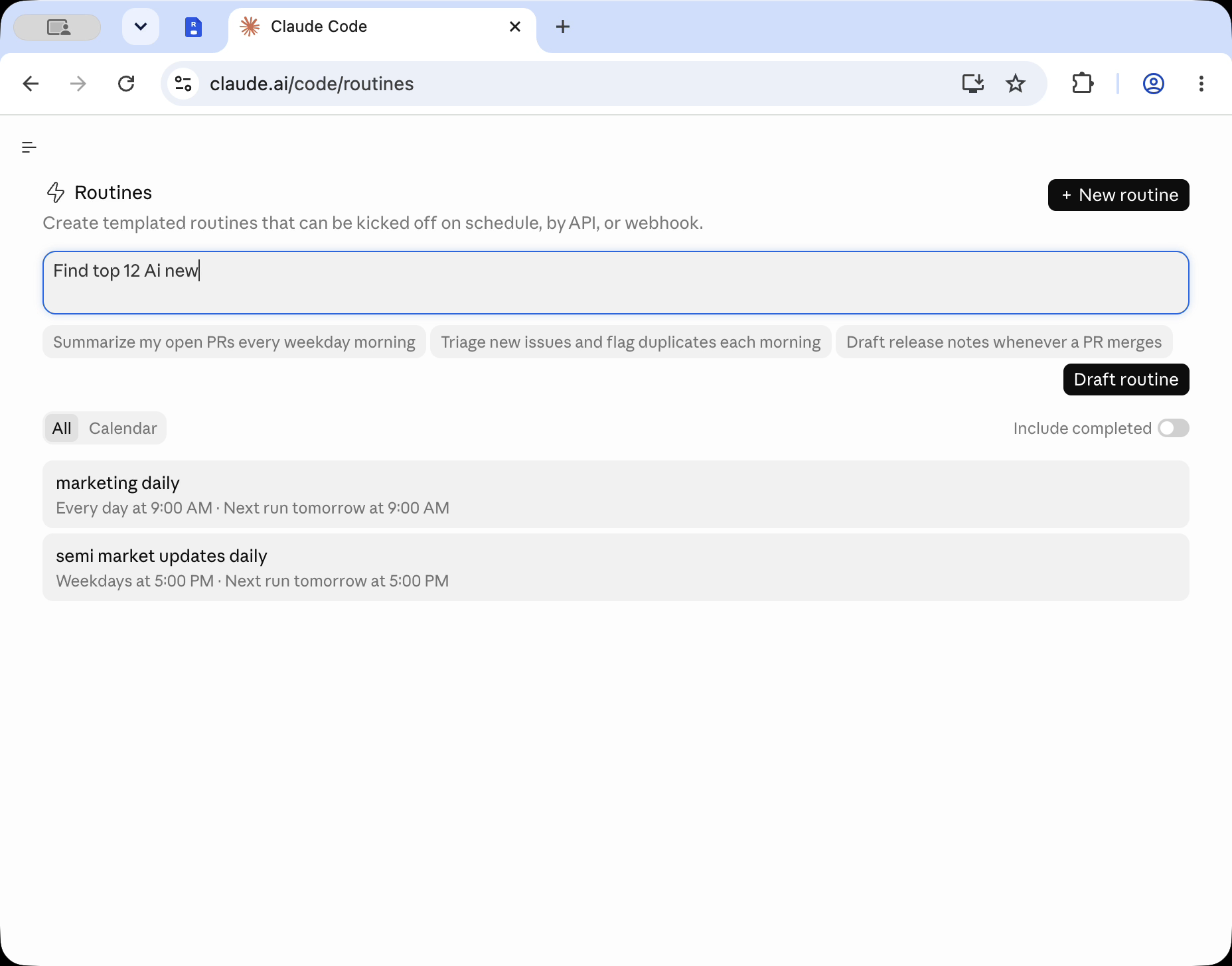
Open claude.ai/code/routines. The address still uses the earlier name of the feature. Click New task. Then select Set up manually. You can also create the task with /schedule in the Claude Code CLI, or under Scheduled in the Code tab of the desktop app.
Complete the dialog:
- Name the task, for example “AI daily news report”. Select a model. Paste the prompt that follows this list.
- For the trigger, select Schedule. Then set a daily time. Use a time a few minutes after the hour, such as 9:07. Runs that start exactly on the hour can start several minutes late.
- Under Advanced settings > General, select the report repository. Each run starts with a fresh clone of the repository.
- Set the cloud environment. In the Default environment, the session’s own network can reach only a list of common development domains. If your run downloads pages with scripts or shell commands, edit Network access for the environment. Select Custom and add the domains that you need. As an alternative, select Full.
- On the Connectors tab, remove each connector that the report does not need. A connector links Claude to an outside app or service. During a run, Claude can use all tools of an included connector without asking you.
This prompt matches the repository above:
Build today's AI news report in this repository.

1. Read REPORT.md and follow it exactly.
2. Find the 12 most important AI news stories from the last 24 hours.
   Prefer primary sources. Put a source link next to every factual claim.
3. Move the current index.html into archive/<its date>/index.html.
   Delete archive folders older than 7 days.
4. Write the new report to index.html with today's date in YYYY-MM-DD form.
5. Run: python3 scripts/check-report.py
6. If the check passes, commit with the message "Report <today's date>"
   and push to main.
7. If anything fails, do not push to main. Push your work to a claude/ branch
   and say what failed.
By default, a scheduled task pushes its work to branches with names that start with claude/. It pushes to a different branch only when the prompt tells it to, as step 6 does (docs). To limit the branches that a run can push to, use branch protection rules or rulesets in GitHub. The task uses your GitHub identity, so its commits show as your commits.
Newsletters are an optional source. Much AI news arrives by email. To use newsletters as sources, subscribe a separate inbox to them. The task reads that inbox through a connector, and your personal mail stays out of the run. Inbox services for AI agents, such as AgentMail or our own Revdoku, let Claude read the messages through an API or MCP.
4. Run it once and read the transcript
On the task’s page, click Run now. The run opens as a full session. You can follow Claude while it searches, writes and runs the check.
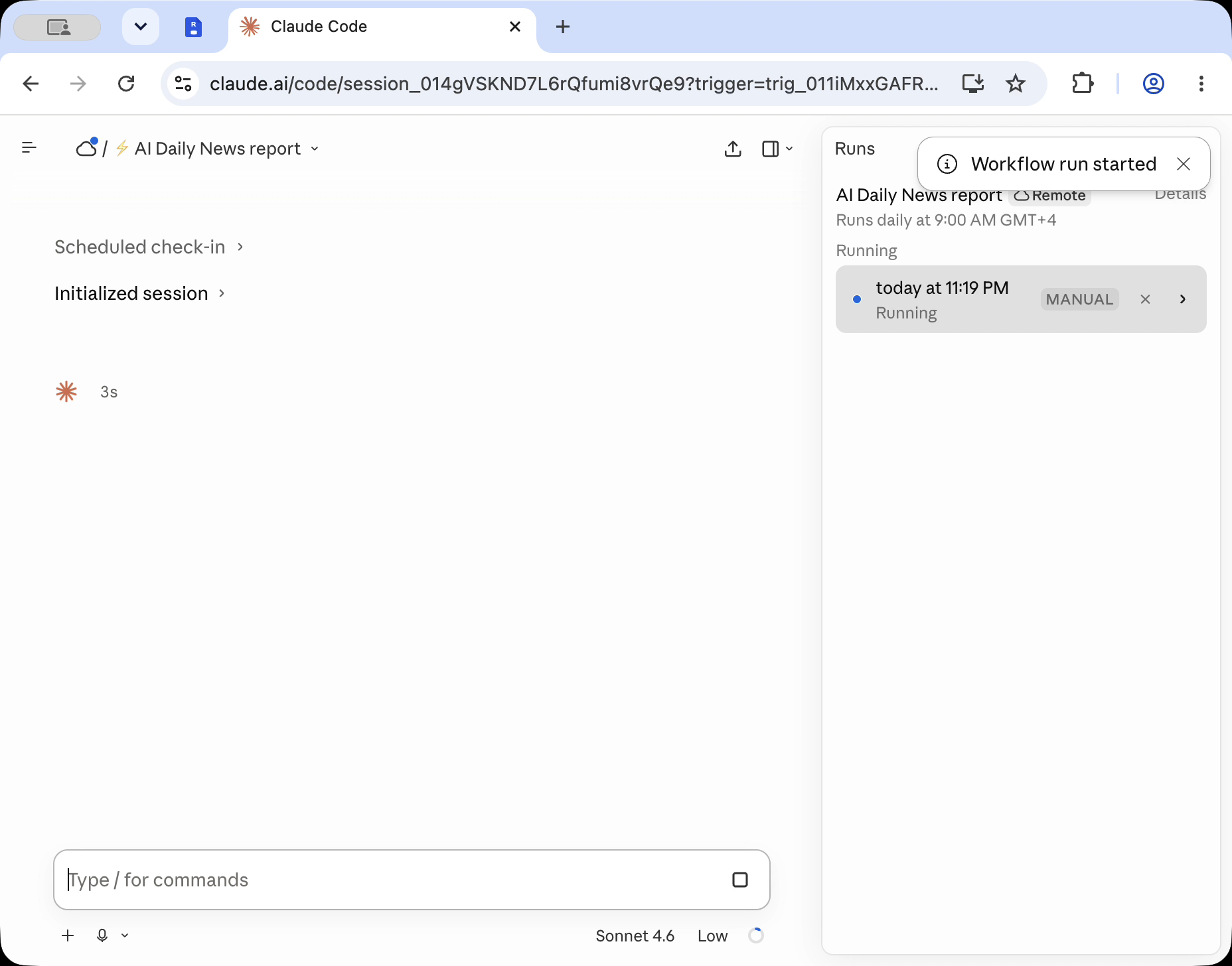
When the run ends, open it from the History list. Read the transcript (the full record of the session) to see what happened. A green status means only that the session started and stopped without an infrastructure error. The transcript shows blocked network requests, missing connector tools and a failed check. The status does not show them (docs).
For the first week, you can change step 6 to “push to a claude/ branch and open a pull request”. Cloudflare Pages and Netlify build previews for pull requests, so you can read each report before you merge it. When the reports no longer need fixes, change step 6 back to a push to main.
5. Keep a bad run off the live site
The setup above already protects the published page. The host deploys only when a commit reaches main. The prompt tells the task to push only after the check passes. As a result, a failed search, an empty page or a missing date leaves yesterday’s report online.
If a weak report still goes live, roll back the site on the host while you fix the rules. A rollback returns the site to an earlier deployment. On Cloudflare Pages, open Deployments. Find an earlier production deployment and select Rollback to this deployment (docs). On Netlify, open an earlier deployment. Then click Publish Deploy (docs). Then make REPORT.md or the check stricter, so that the same problem fails the next time.
Plan for these limits from the documentation for scheduled tasks:
- Runs count toward your subscription usage, the same as interactive sessions.
- A schedule can run at most once an hour.
- If the GitHub connection expires, the task skips runs for up to 72 hours. Then the task turns itself off. It stays off until you connect GitHub again and turn the task back on.
Other ways to run the same job
Desktop scheduled tasks run on your own computer. They have access to local files and to tools such as the command-line tool of a host. They run only while the Claude desktop app is open and the computer is awake (docs).
GitHub Actions can run Claude Code in CI on a schedule. With this option, the whole job stays inside GitHub.
If the report is only for a team or for clients, protect the site before the first run. On Cloudflare Pages, use Cloudflare Access. On Netlify, use Netlify password protection, which needs a paid plan.
A docs portal with Ask AI
and support tickets
Connect a repository, or describe your product to start. Each docs site has search, Ask AI, an API console, an MCP server and support tickets.
- Publishes from GitHub on every push
- Works with Mintlify repositories
- API console from your OpenAPI file
- MCP server and llms.txt for AI agents
- Ask AI and support tickets
- Analytics for people and AI agents
Frequently Asked Questions
Can the report run more than once a day?
Yes. After you create the task, open its edit dialog and select Custom. Then enter a cron expression (a text rule for a schedule), such as 0 */2 * * * for every two hours. Claude Code rejects a schedule that runs more often than once an hour. Each run counts toward your subscription usage.
Can the task publish without a GitHub repository?
A cloud task starts from a fresh clone of a repository and cannot see your local files. For this reason, Git is the simplest way to get the report to a host. Some hosts have a command-line tool for uploads, such as Wrangler for Cloudflare Pages. To upload files with such a tool, use a Desktop scheduled task on your own computer.
Related Articles

Add a Custom Domain to a Cloudflare Pages Site
Add a custom domain or www to a Cloudflare Pages site: set it up in Pages first, add the DNS record, fix stuck verification and redirect www.
What Is localhost:3000?
Your browser uses localhost:3000 to reach an app running on your own computer. Sending that address to someone else does not give them access to your app.
Move Exported Grok Website Files to Another Host
Export a Grok Build site to GitHub, deploy it on Cloudflare Pages, Netlify, Vercel or GitHub Pages, test it, then retire the grok.me copy.